One tap for the things you do all day
Palmdeck puts apps, shortcuts, snippets, media controls, Shortcuts and scripts on a floating deck that never steals focus. Pair an iPhone or iPad and press the same buttons from across the desk.
- Mac
- iPhone & iPad
Mac and iPhone/iPad apps in App Review · macOS 14 Sonoma or later · iPhone or iPad with iOS / iPadOS 17 or later for remote control
Why it exists
Small Mac chores add up
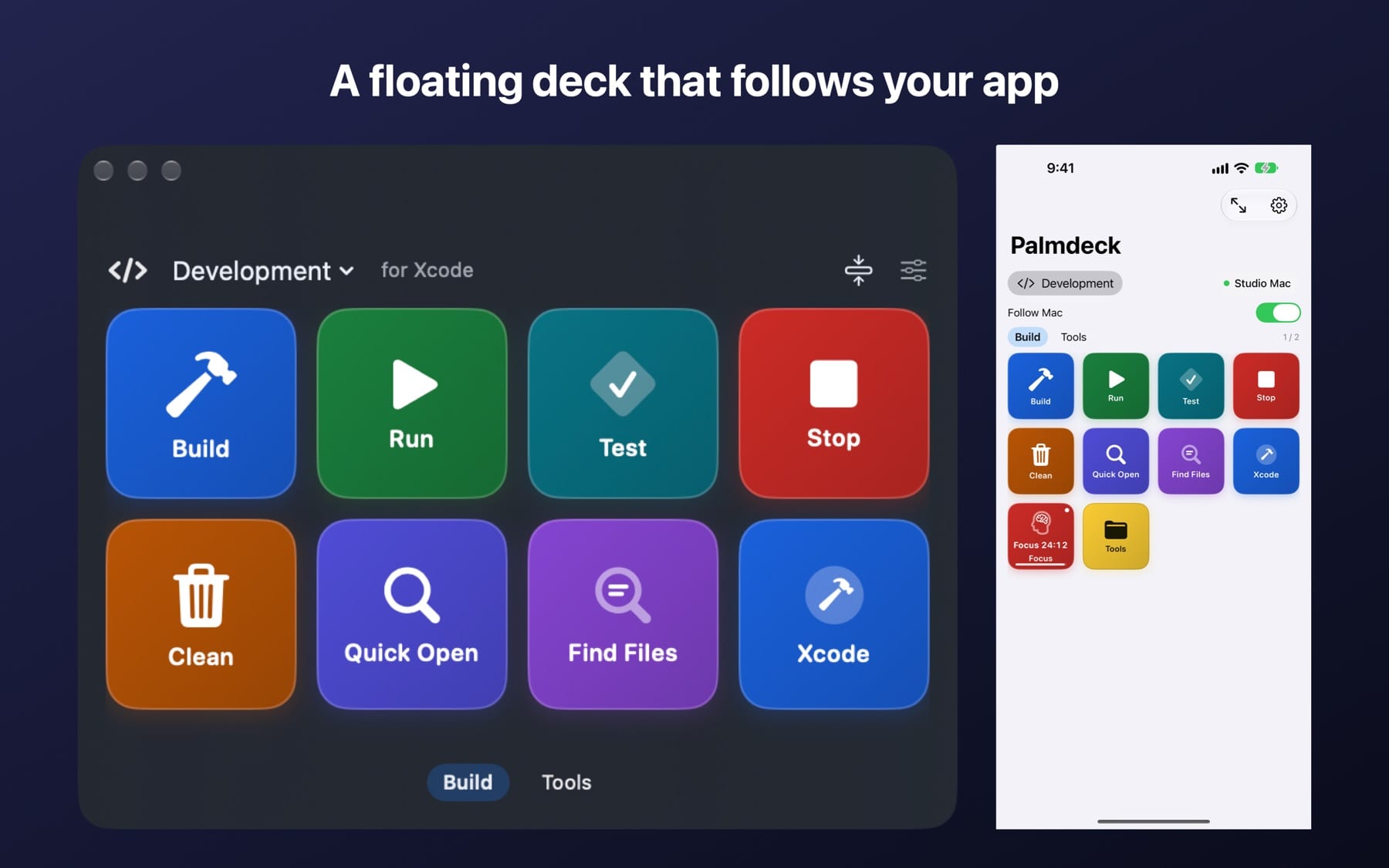
Building a project means pressing ⌘B, switching to Terminal, opening a folder and pausing the music. Each step is small, but hunting through menus and remembering key combos breaks your focus dozens of times a day. Palmdeck turns each of those steps into one button you can press on the Mac or from your phone.
Features
What Palmdeck does
Floats without stealing focus
The deck stays on top but never takes focus, so a shortcut goes to the app you are working in. Show or hide it with a global shortcut or from the menu bar.
Profiles follow your app
Profiles switch automatically with the app in front, such as Xcode, Logic Pro or Final Cut Pro. Pin a profile with one click when you want it to stay.
260+ searchable actions
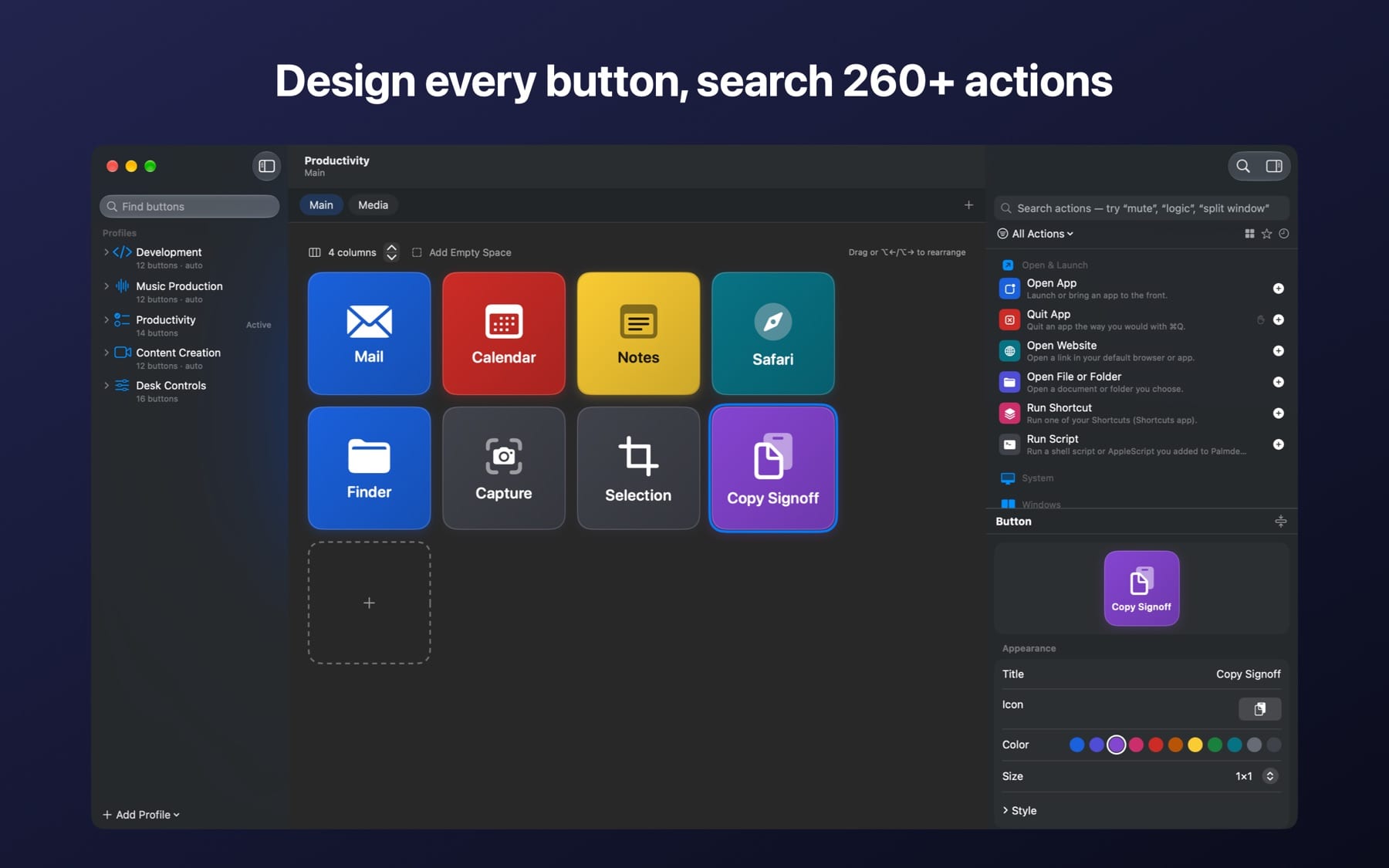
Open apps and files, fire shortcuts, type snippets, control volume and media, arrange windows, and run Shortcuts or your own scripts. Search the library by name, app or goal.
Workflows, not just buttons
Chain actions with waits, “only if this app is open or in front” conditions, and stop-or-continue on errors. One button can also do different things on press, double-press and hold.
iPhone and iPad remote
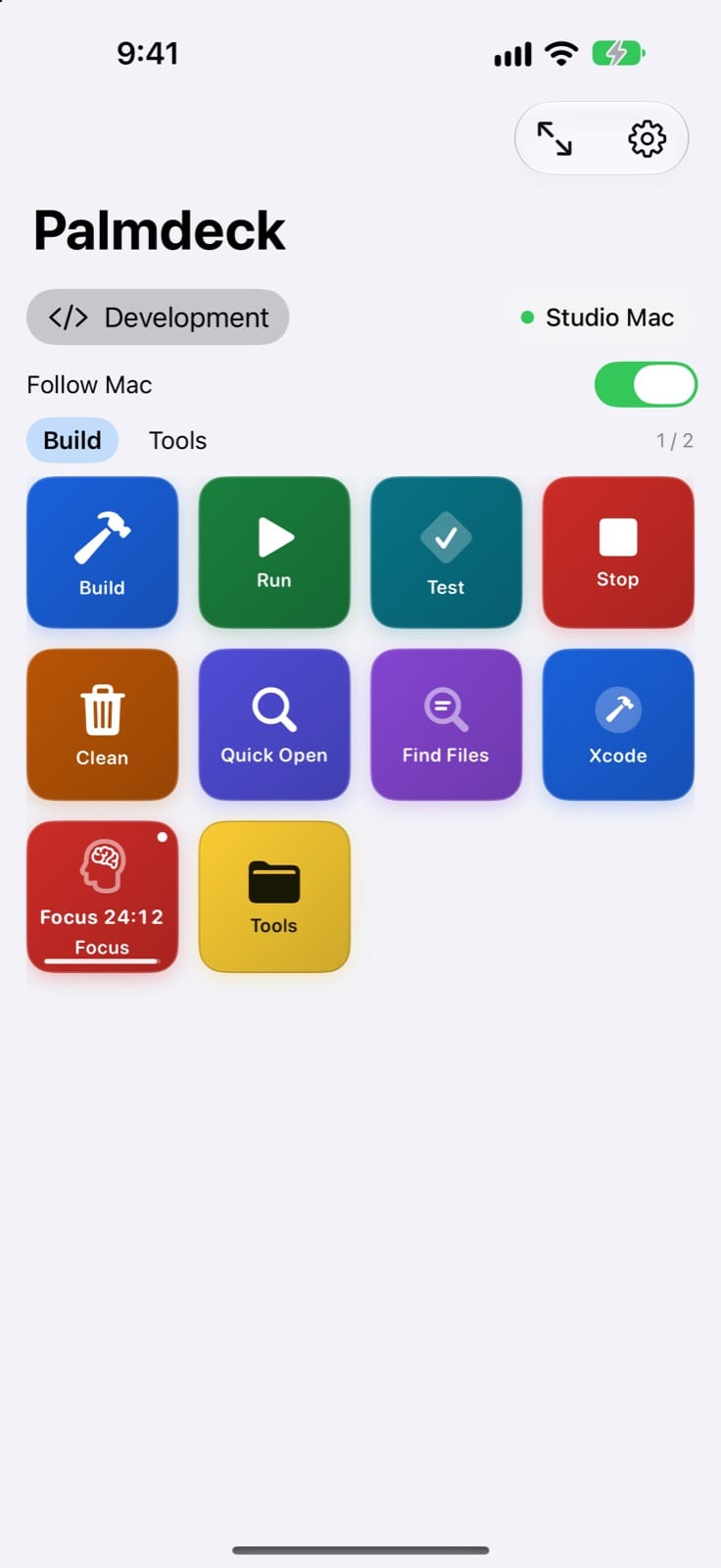
Pair once by scanning a code on your Mac. Your iPhone or iPad shows the Mac's deck, follows its profile and page, and presses buttons over an encrypted local Wi-Fi connection.
Live tiles and timers
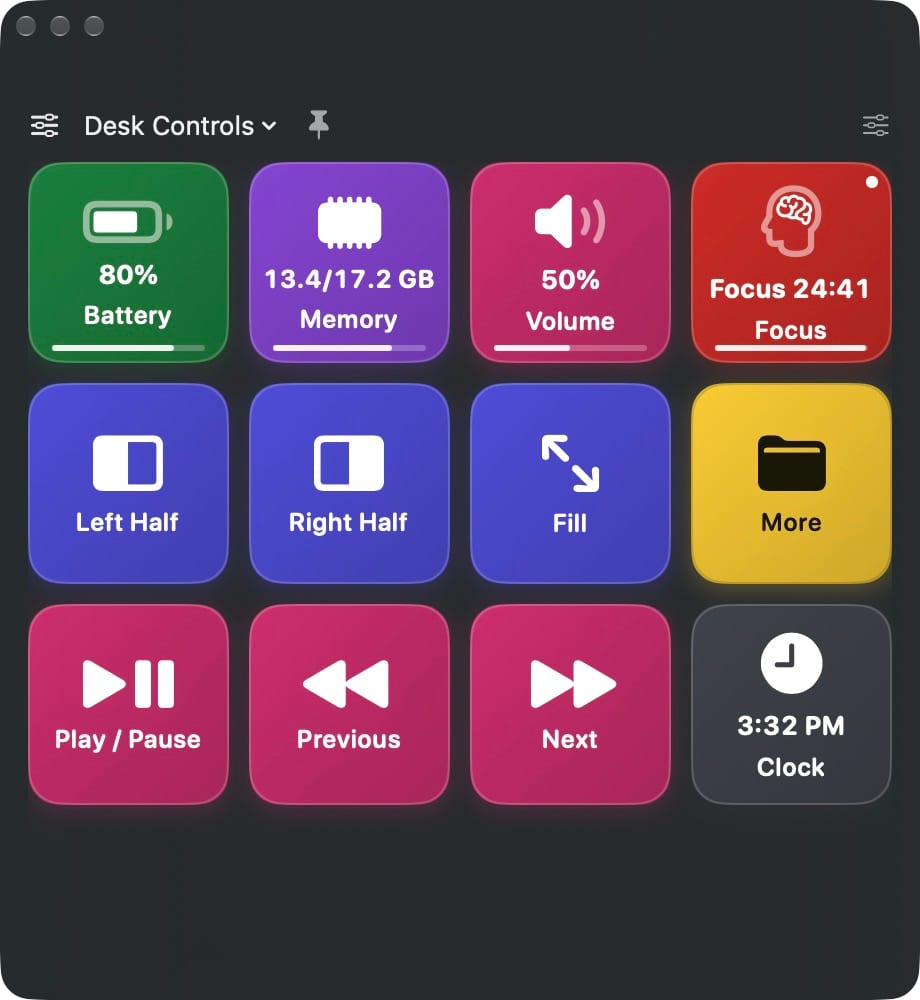
Buttons can show battery, memory, CPU, volume, the clock, Spotify's now playing, or a running countdown, stopwatch or pomodoro timer, on the Mac and on your phone.
Editor with undo
Drag actions onto the grid, set columns per page, make buttons wide, tall or large, and undo any change. Choose from 430 built-in icons, your installed apps' icons or your own images.
Spotify and window helpers
An optional helper adds Spotify control, window layouts and sleep. macOS asks for your consent before it controls another app.
How it works
From install to first tap
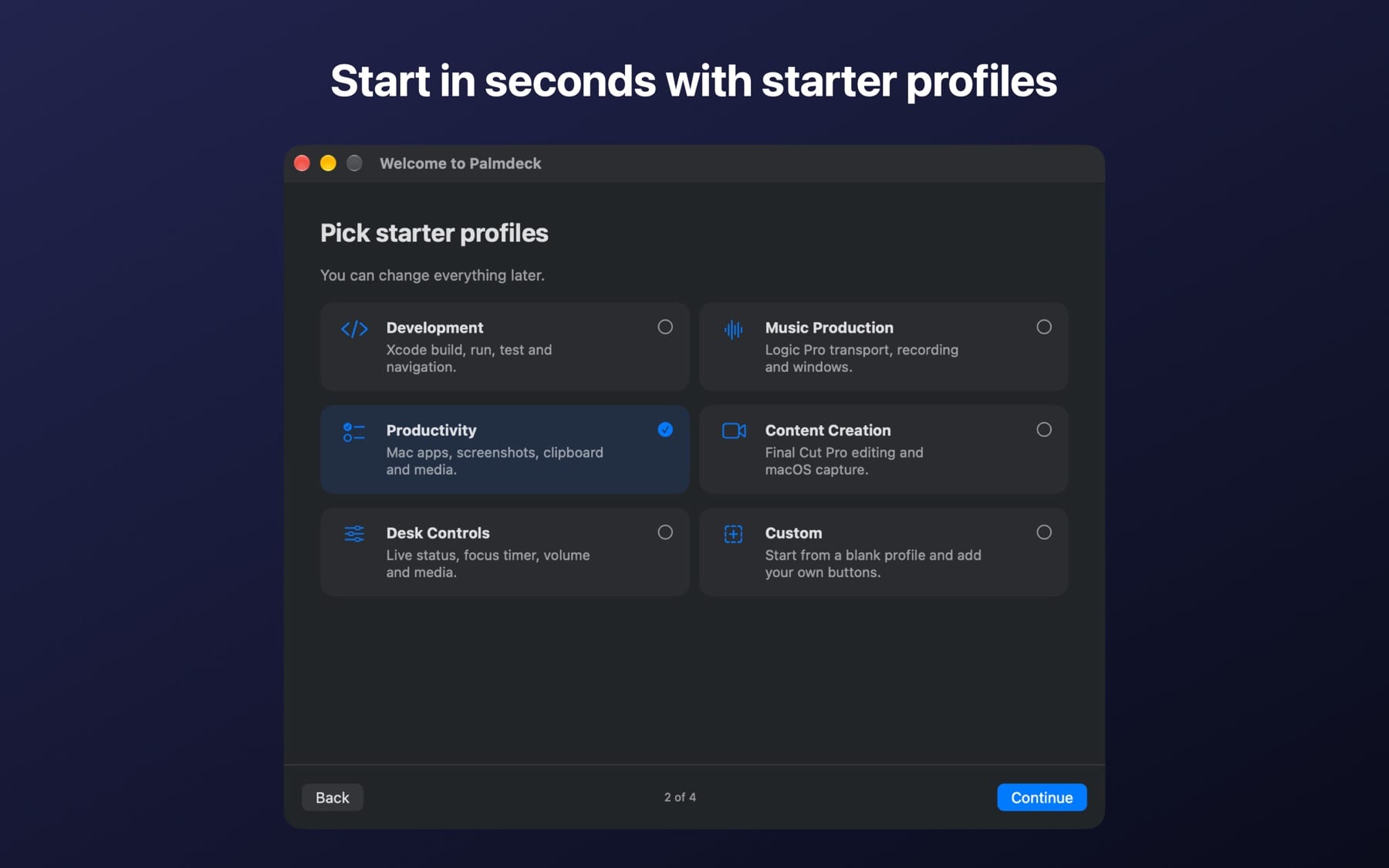
Pick a starter profile
Start from Development, Music Production, Productivity, Content Creation, Desk Controls or a blank Custom profile. You can change everything later.
Add your own buttons
Open the editor, search the action library (try “mute” or “window”) and drag an action onto the page.
Pair your iPhone or iPad
On the Mac choose Settings ▸ iPhone ▸ Pair iPhone, scan the code with your phone's camera and approve it on the Mac.
Press from anywhere on your desk
Tap a button on the floating deck or on your phone. Each press shows clear success or error feedback.
Why Palmdeck
Built differently
Built for the Mac first
Many deck apps are Windows-first or need a separate desktop hub. Palmdeck's deck is a native Mac panel that follows the app in front, and the phone simply mirrors it.
One app, no subscription
Some remotes unlock more keys or devices with subscriptions and add-ons. Palmdeck is one universal App Store app for Mac, iPhone and iPad, with no subscription, no in-app purchases and no account.
Stays on your network
Your iPhone talks directly to your Mac over an encrypted local Wi-Fi connection. There is no cloud relay, and the App Store privacy label is “Data Not Collected”.
What do I need?
A Mac with macOS 14 Sonoma or later. To use your phone as a remote, an iPhone or iPad with iOS / iPadOS 17 or later on the same Wi-Fi network as the Mac.
How much does it cost, and when can I get it?
Palmdeck is in App Review. Pricing will appear on the App Store listing once it is approved. A single App Store listing covers the Mac, iPhone and iPad apps.
Does the iPhone app work without a Mac?
The iPhone and iPad app is a remote for Palmdeck on your Mac. Without a paired Mac you can explore a demo deck that explains what each button would do.
Why does Palmdeck ask for Accessibility permission?
Accessibility permission is optional. It lets Palmdeck send the keyboard shortcuts, text and media keys you configure. Palmdeck does not read your screen or other apps' content.
What data does Palmdeck collect?
None. There are no accounts, analytics, advertising or servers. Your decks and settings stay on your devices, and pairing keys are kept in each device's Keychain.
Can I back up or move my decks?
Yes. Palmdeck keeps your last 10 versions automatically (Settings ▸ Backups), and File ▸ Export Deck saves a copy you can move to another Mac.
Palmdeck is on its way
Submitted to Apple and waiting for App Review. This page will link to the App Store as soon as it’s approved.
More from Parth
 Closer
 Catch
 LoopStudio
 GesturePad