
A little less open on your Mac.
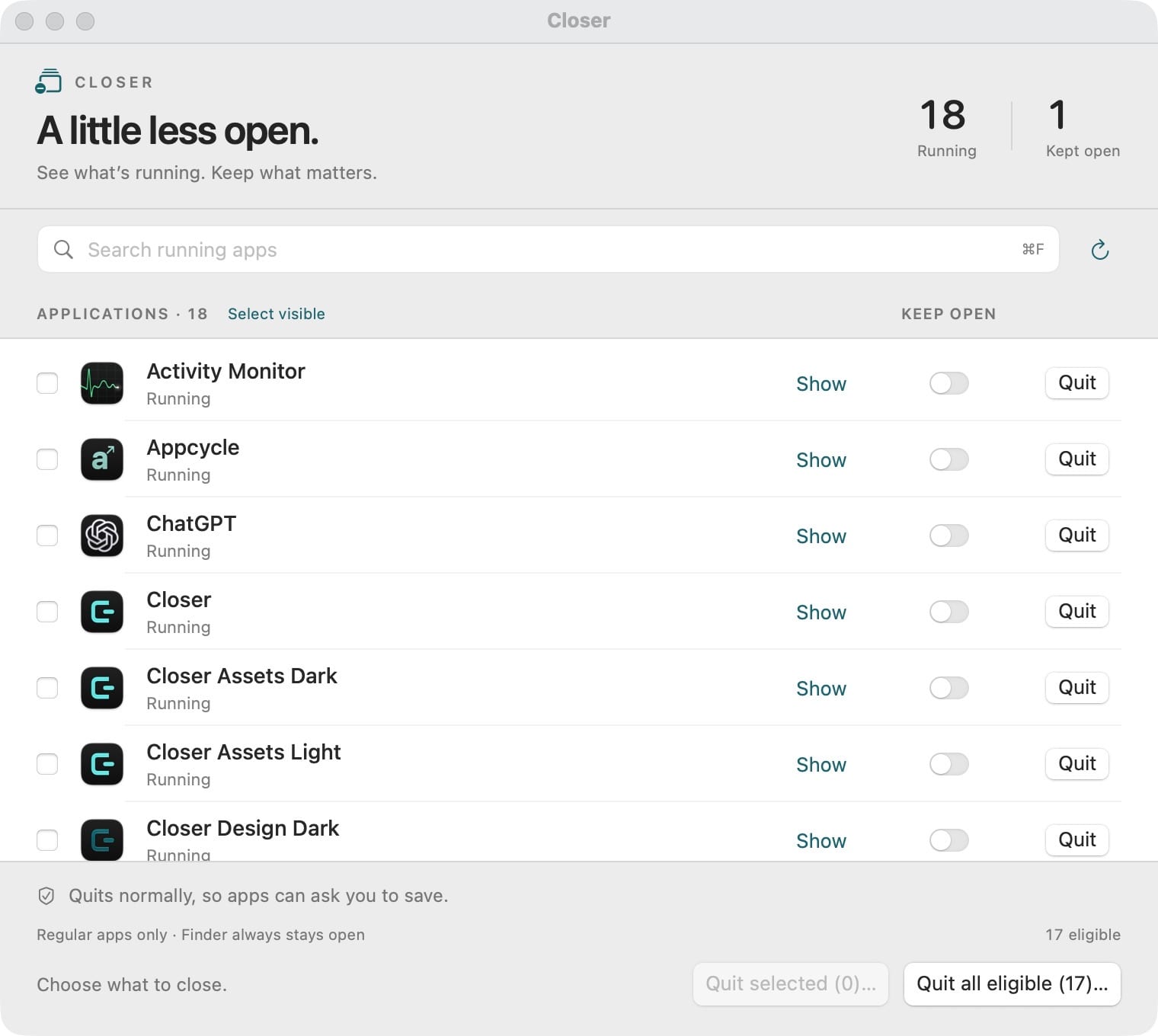
Closer lists your running Mac apps in one window. Mark the ones to keep, then quit one, a few, or all the rest with a normal quit that still lets each app ask you to save.
- Mac
Version 0.1.0 · Developer ID signed and notarized · macOS 14 Sonoma or later, Apple silicon
Why it exists
Apps pile up, and the Dock does not tell the whole story
By the afternoon you might have a browser, two chat apps, a design tool and something you opened once this morning, some of them hidden. Quitting them one by one is slow, and quit-everything shortcuts can take the music or the project you still need with them. Closer gives you one clear list and a deliberate way to close what you are done with.
Features
What Closer does
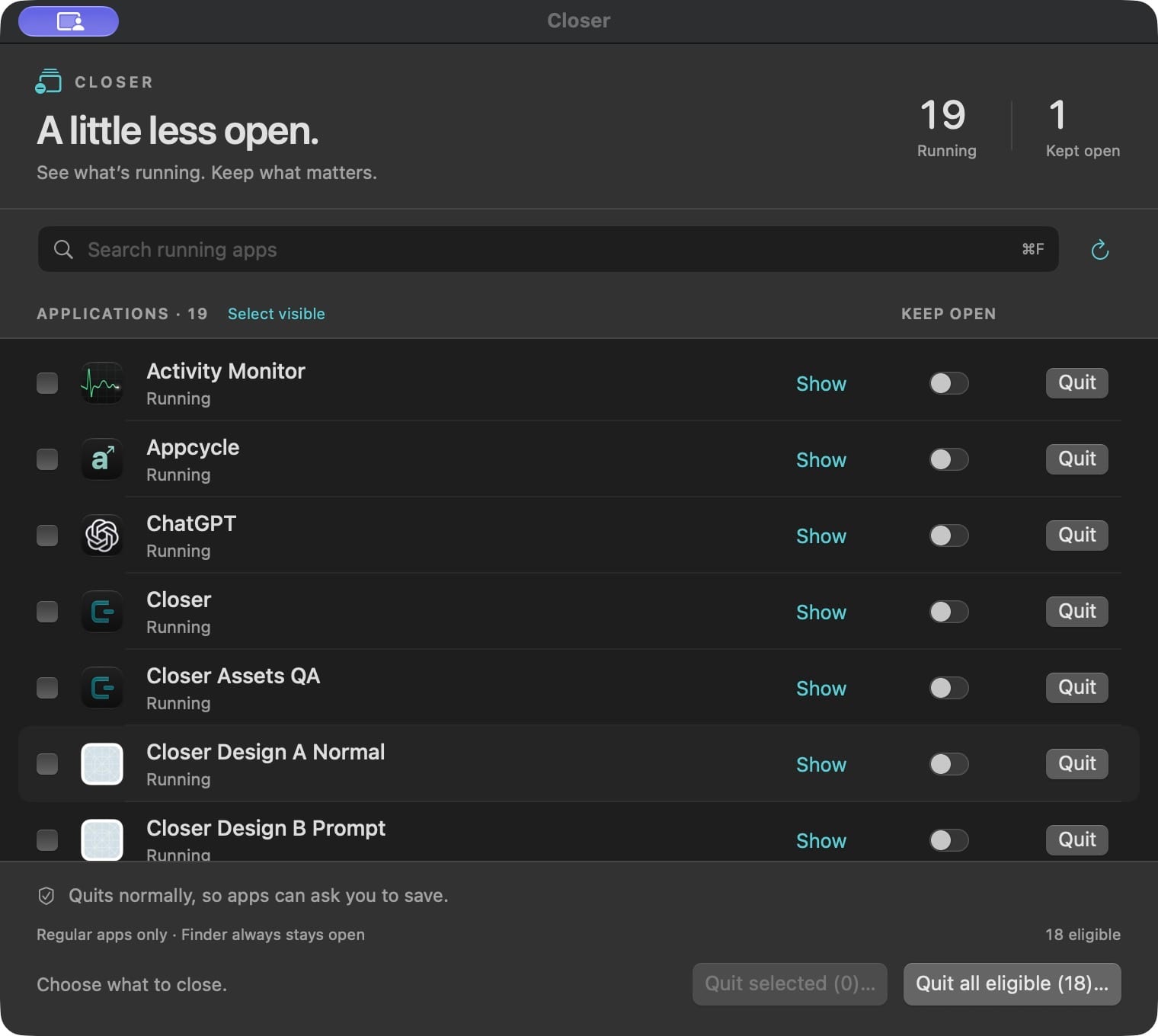
Every running app, listed
Each row is a regular running Mac app, including hidden ones. It is not a window list or a list of background processes.
Keep open
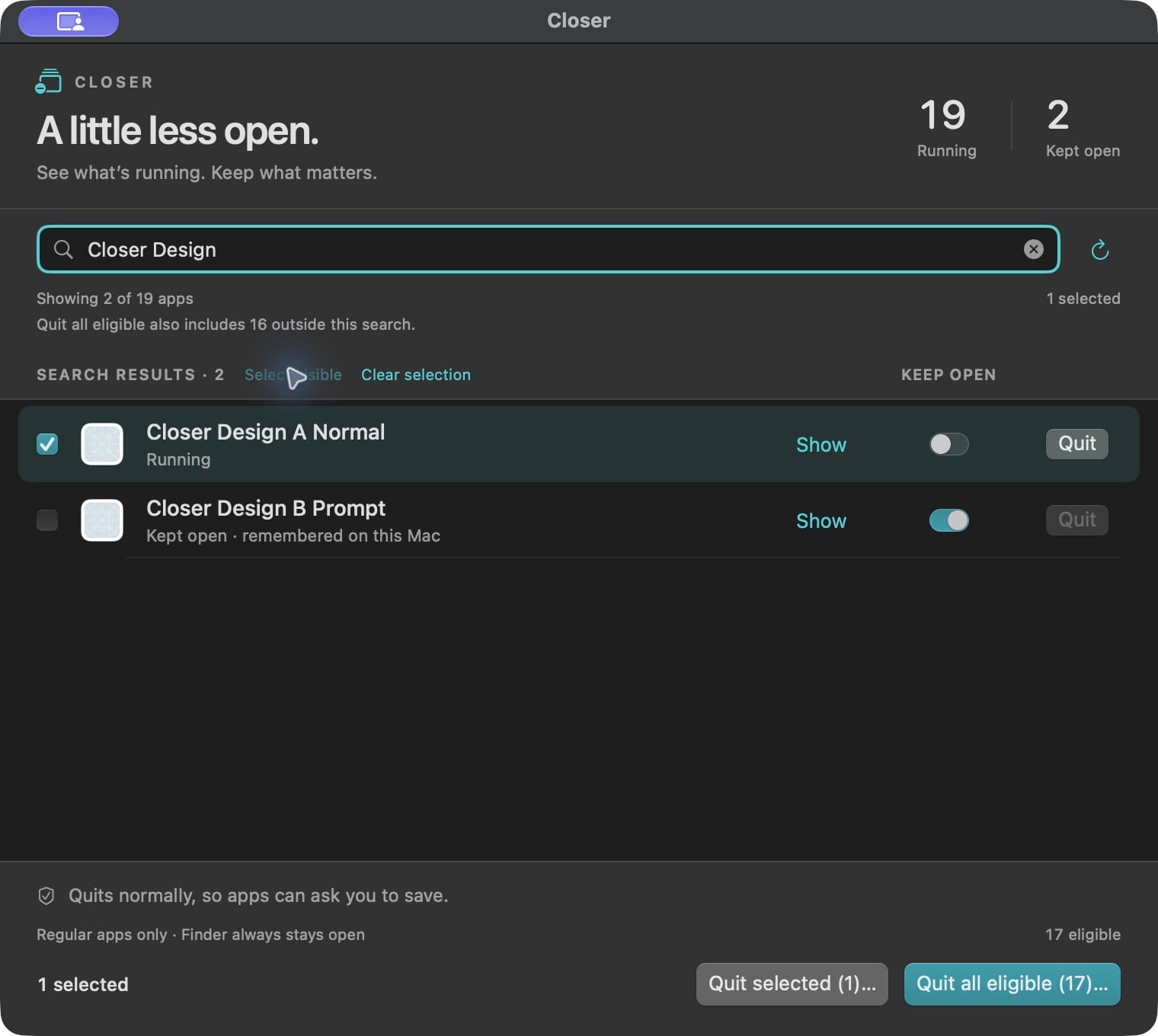
Switch on Keep open for the apps you need and Closer leaves them out of every quit action. Your choices are remembered on this Mac, and Finder and Closer are always protected.
Review before a batch
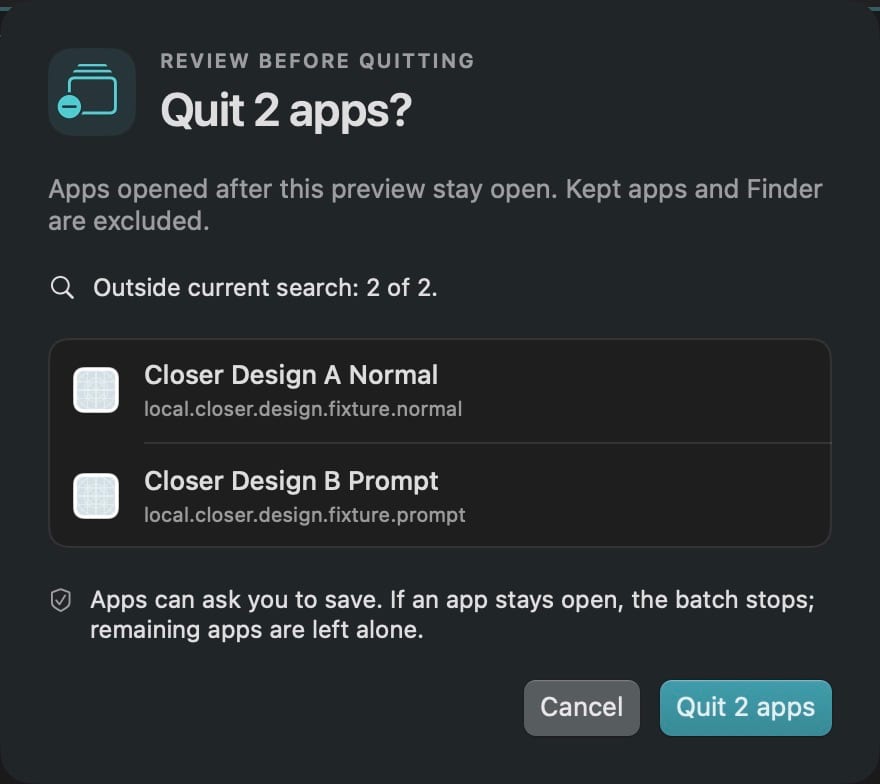
Select a few apps or choose Quit all eligible, then check the exact list before anything is sent. Search only filters the view, and the review shows apps outside your search too.
Normal quit, never force
Closer asks each app to quit the standard Mac way, so it can show its own save prompt or decline. Closer never force quits.
Honest results
If an app is still open after about eight seconds, the batch stops. Expand App results to see what closed, then use Review remaining when you are ready.
Show an app first
Show brings a running app forward so you can check its windows or a save dialog before deciding.
Keyboard and larger text
Command-F searches, Command-R refreshes and Escape cancels a preview. View › Larger Text doubles the interface text size.
How it works
From everything to just enough
See the whole picture
Open Closer from Applications or its menu-bar icon to review your running apps in one place. Search to find one quickly.
Keep the important ones
Turn on Keep open for the apps you are still using. Closer remembers these choices next time.
Review and quit
Quit a single app, or select several and confirm the exact list. Each app gets a normal quit request.
Check what remains
Read the results, answer any save prompts, and review the apps that are still open. Nothing retries on its own.
Why Closer
Built differently
Polite by design
Some quit utilities add force quit or automatic idle quitting. Closer only sends normal quit requests you confirm, so each app keeps control of its own save prompts.
No special permissions
Several bulk-quit tools ask for Accessibility access. Closer uses standard macOS application APIs and does not need Accessibility or Screen Recording permission.
A reviewed list, not a blind command
Launcher commands can quit everything in one keystroke. Closer shows the exact apps first, including ones hidden by your search, and stops when an app does not close.
What do I need to run Closer?
A Mac with Apple silicon running macOS 14 Sonoma or later. Version 0.1.0 has been tested on macOS 27.0.1. Intel Macs are not supported.
How much does it cost?
Closer is free to download and use. It is proprietary freeware published by Parth Mudgal, not open source.
Will I lose unsaved work?
Closer sends normal quit requests, so each app handles its own save prompts or can decline to quit. Closer does not inspect documents or guarantee that work is saved, so save important work first.
Does Closer collect any data?
No. It has no account, analytics or network access. Your Keep open choices and text size setting stay in local macOS preferences.
Is the download safe to open?
The download comes directly from GitHub Releases and is Developer ID signed and notarized by Apple. Move Closer.app to Applications and approve the normal first-open confirmation if macOS shows one.
How do I update?
There is no automatic updater. When a new release is available, quit Closer and replace the app in Applications.
Get Closer
See every running Mac app, keep what matters, and quit the rest in one review.
More from Parth
 Catch
 Mac Video Fullscreen
 LoopStudio
 Palmdeck