Log every set. See your month at a glance.
Gym Journal is a workout calendar for people who lift. Pick what you trained, log weight and reps, and see your streaks and progress, with everything stored on your device.
- iPhone
- Mac
- Web
iPhone and Mac apps in App Review · web version live · iPhone with iOS 17 or later · Mac with macOS 14 or later · web version in a modern browser
Why it exists
A notes app is not a training log
After chest day you type “60×8, 57.5×9” into a note. A month later you can't tell when you last trained legs or whether your bench actually went up. Gym Journal puts each session on a calendar and turns the same sets into progress you can read.
Features
What Gym Journal does
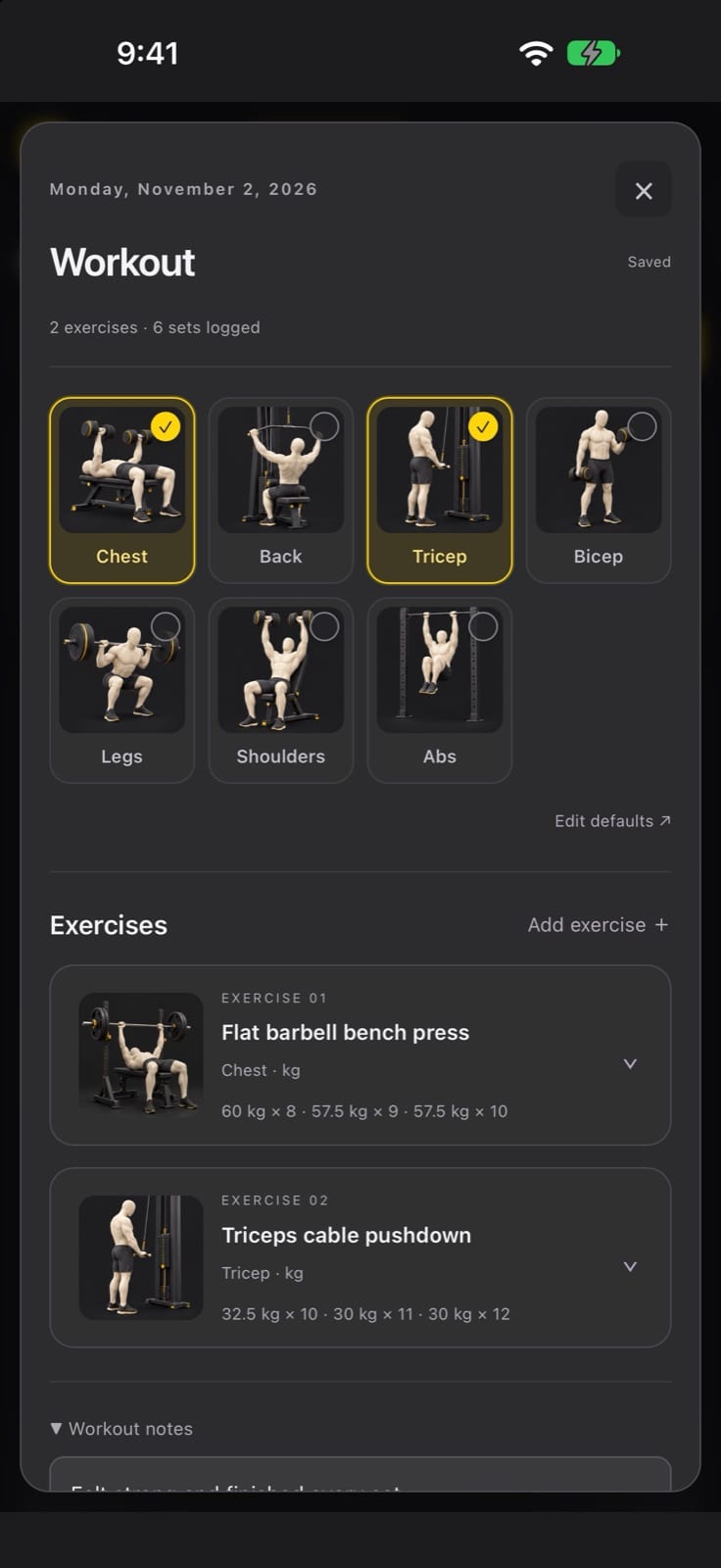
Pick what you trained
Choose Chest, Back, Triceps, Biceps, Legs, Shoulders or Abs, and your default exercises for each are added automatically. Edit the defaults any time.
Sets in your units
Log weight and reps in kg, kg per dumbbell, kg per side, plates or bodyweight.
Notes and discomfort flags
Add workout notes and flag any exercise that caused discomfort, so you remember next time. Training notes are collected in one place.
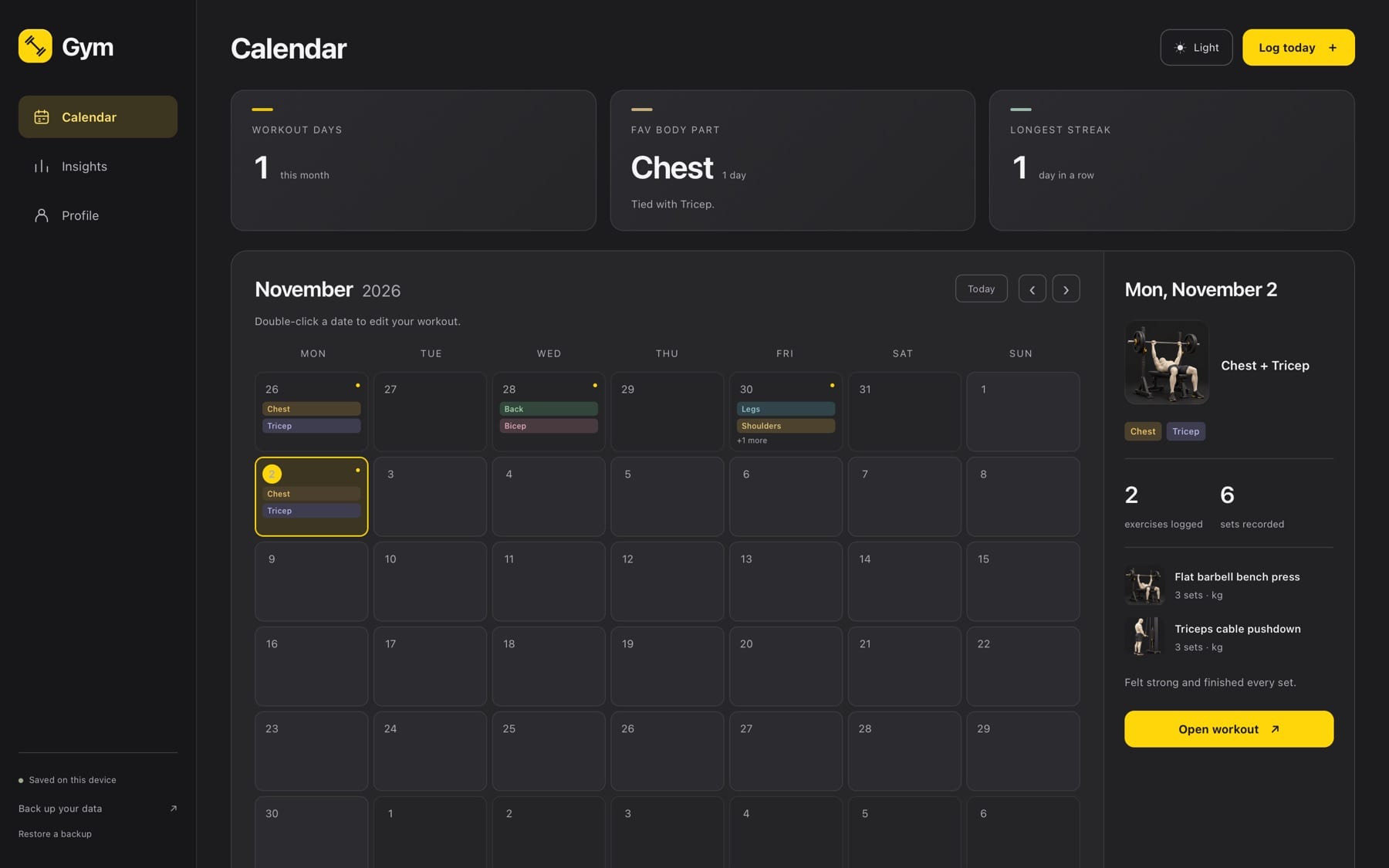
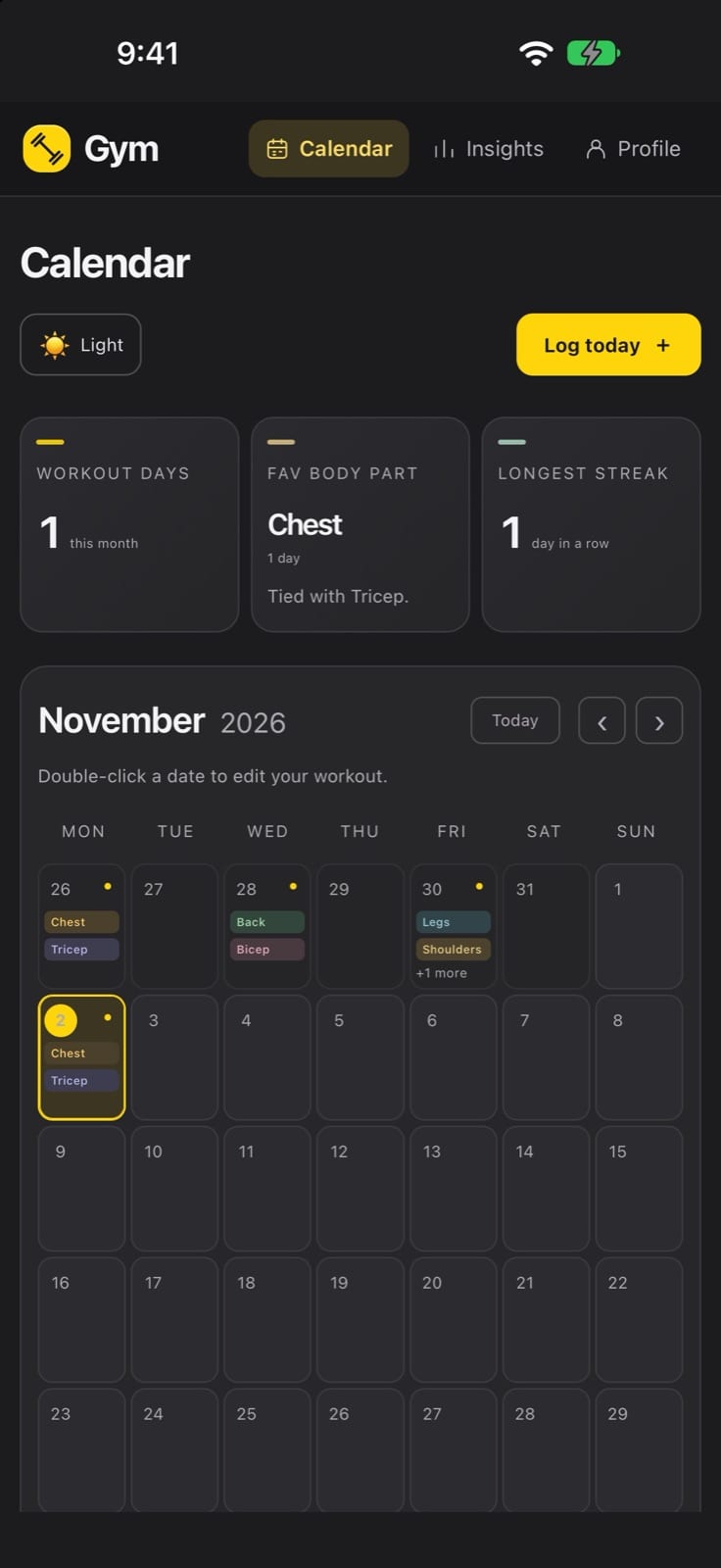
Monthly calendar and streaks
See every training day at a glance, with workout days this month, your most-trained body part and your longest streak.
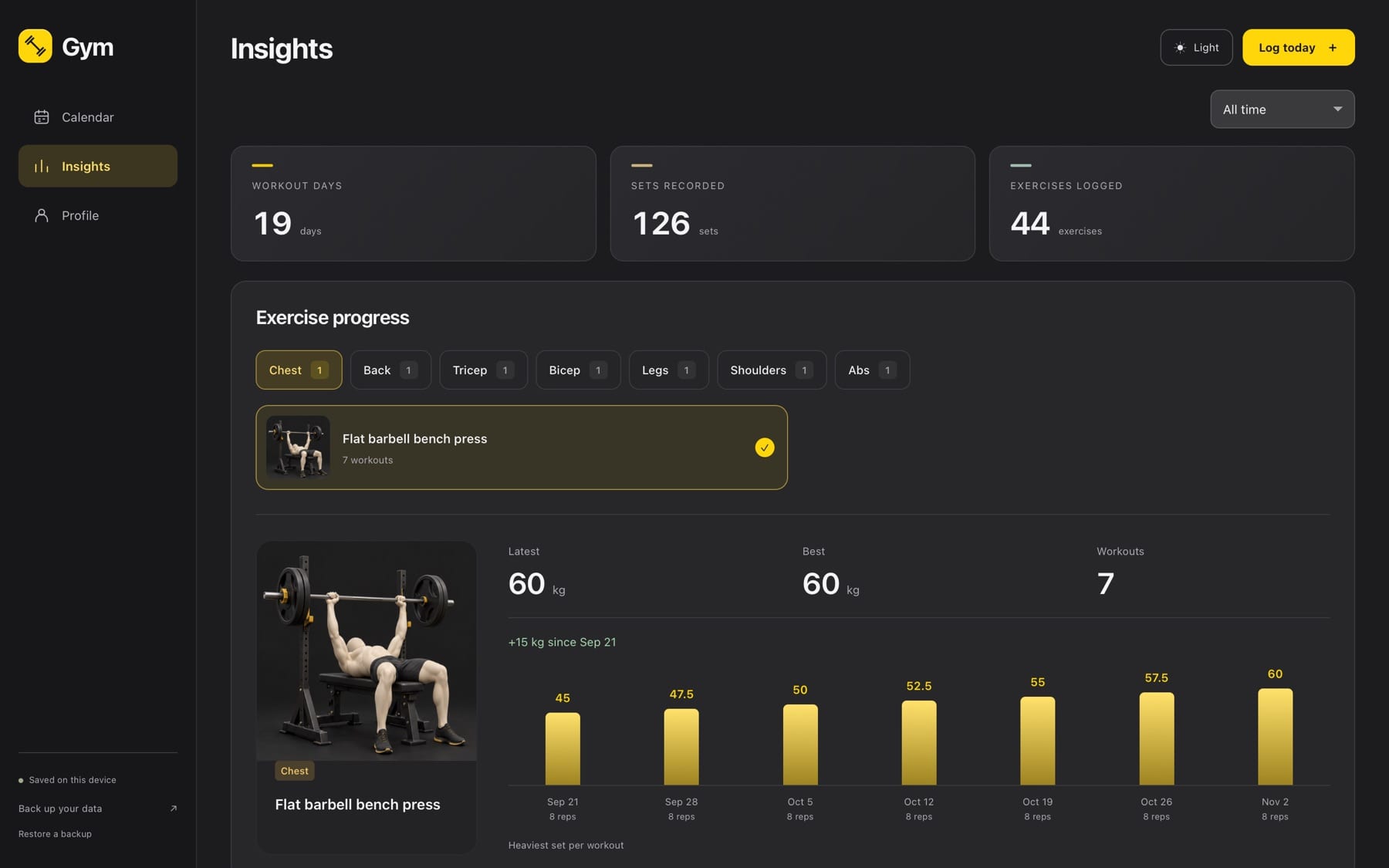
Insights that answer questions
Switch between all time, this month or the last 90 days. Exercise progress shows your best set over time, alongside body-part balance and workout days per week.
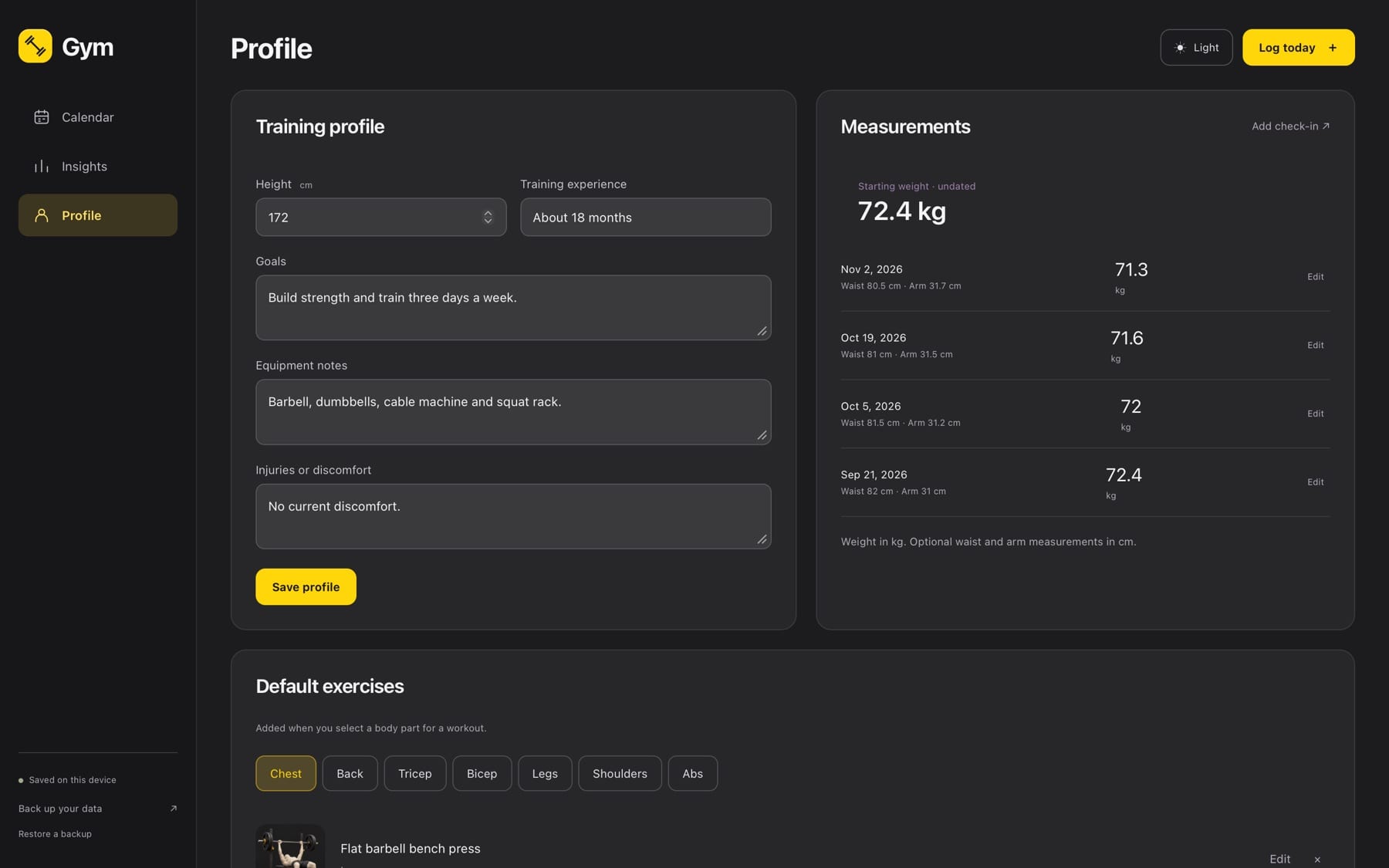
Bodyweight check-ins
Record your bodyweight, with optional waist and arm measurements, and see how it changes.
Backup and restore
Export a JSON backup file at any time and restore it on your iPhone or Mac.
Private by default
No account, no sign-in, no ads and no tracking. Everything you enter stays on your device.
How it works
Log a workout in four steps
Tap Log today
Open today's workout from the calendar.
Pick body parts
Select what you trained, for example Chest and Triceps. Your usual exercises appear.
Enter weight and reps
Log each set, then tap Done. The calendar and Insights update immediately.
Review your month
Check your streak, see which body parts you've skipped and follow your best sets over time.
Why Gym Journal
Built differently
No account, no cloud
Many popular lifting trackers ask you to sign up and sell subscription tiers. Gym Journal has no account at all, and its App Store privacy label is “Data Not Collected”.
Calendar first
Instead of starting from a routine builder, Gym Journal opens on your month, so gaps and streaks are obvious before you log a single set.
Free on iPhone, Mac and the web
The same journal runs on iPhone, Mac and in the browser. A plain JSON backup file moves your data between them.
What do I need?
An iPhone with iOS 17 or later or a Mac with macOS 14 or later. The web version runs in a modern browser.
How much does it cost, and when can I get it?
The iPhone and Mac apps are free and waiting for App Review. You can use the web version today.
Where is my data?
Only on your device, inside the app. There is no account and no cloud sync. The web version keeps your journal in your browser's storage on that device.
How do I move data between devices?
Use Back up your data to export a JSON file, then Restore a backup on the other device.
What happens if I delete the app?
Deleting the app removes its data from that device, so keep a backup file.
Gym Journal is on its way
Submitted to Apple and waiting for App Review. This page will link to the App Store as soon as it’s approved.
More from Parth
 Closer
 Catch
 LoopStudio
 Palmdeck