
Your Mac, a gesture away
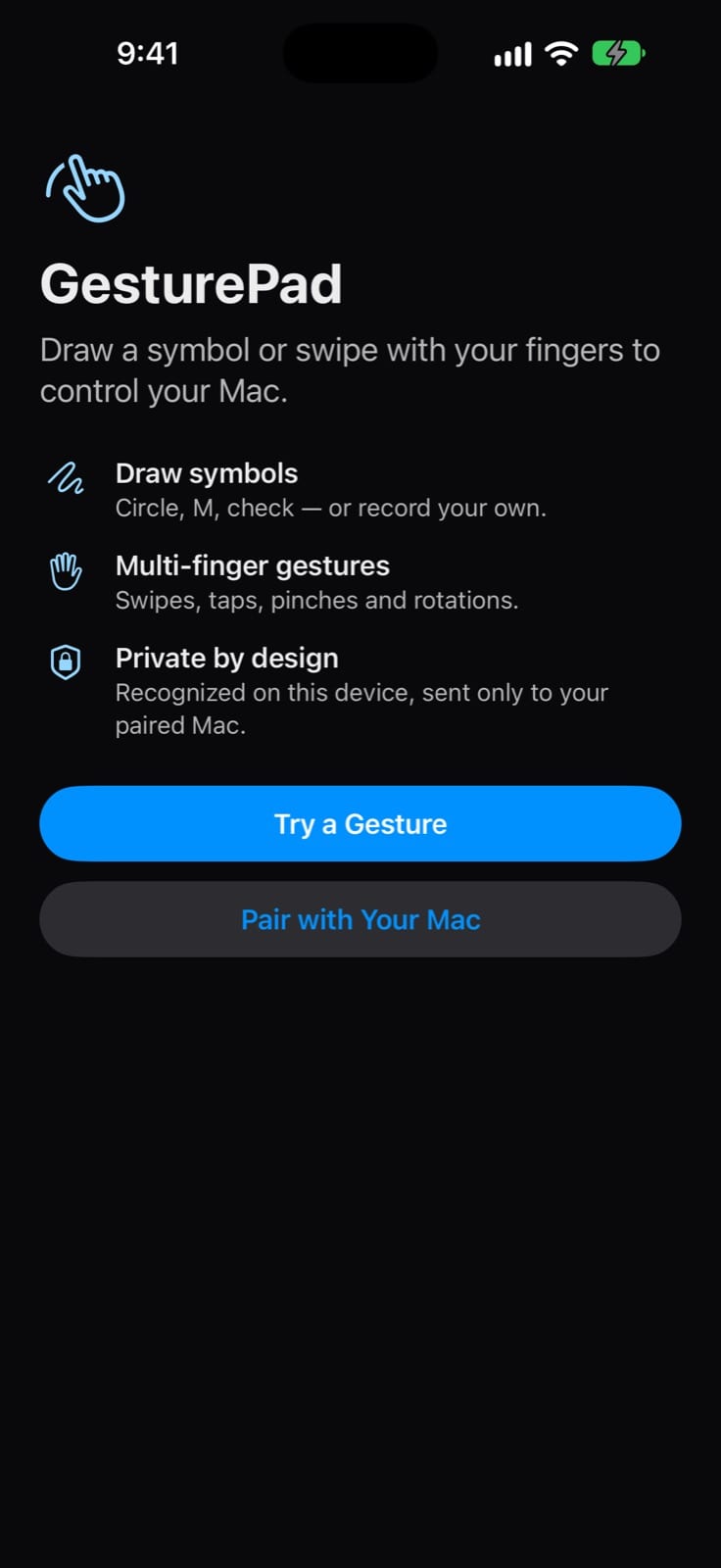
GesturePad turns your iPhone or iPad into a gesture canvas for your Mac. Draw a symbol or tap and swipe with up to five fingers, and the Mac runs the action you set for the app in front.
- Mac
- iPhone & iPad
Mac and iPhone/iPad apps in App Review · macOS 14 or later · iPhone or iPad with iOS / iPadOS 17 or later · same Wi-Fi network
Why it exists
Reaching for the keyboard breaks the flow
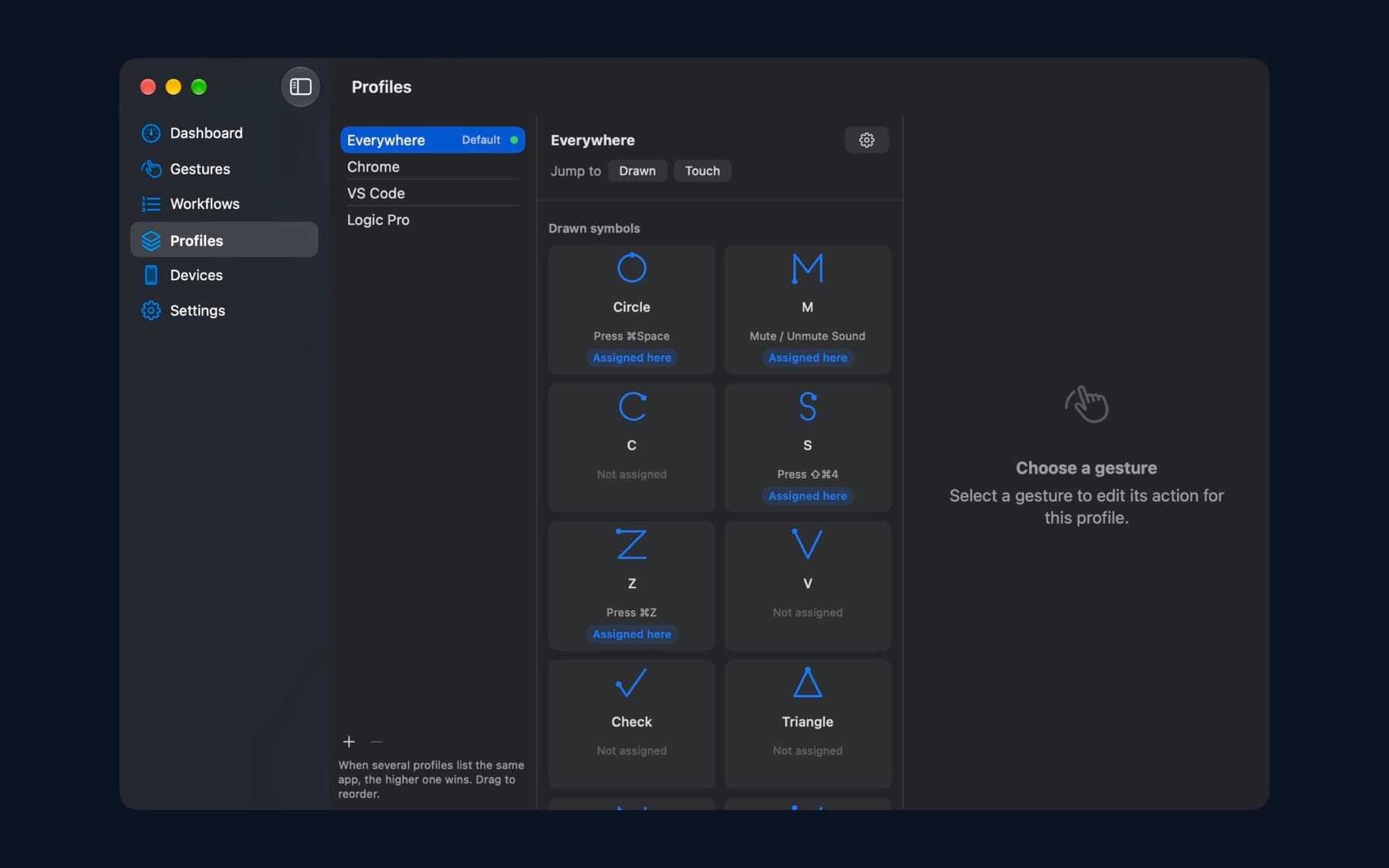
You are leaning back, reviewing a page in Chrome or listening through a mix in Logic Pro. Muting, skipping a track or pressing ⌘Z means reaching across the desk and finding the right keys. With GesturePad you draw an M or swipe two fingers on the device already in your hand.
Features
What GesturePad does
Draw symbols
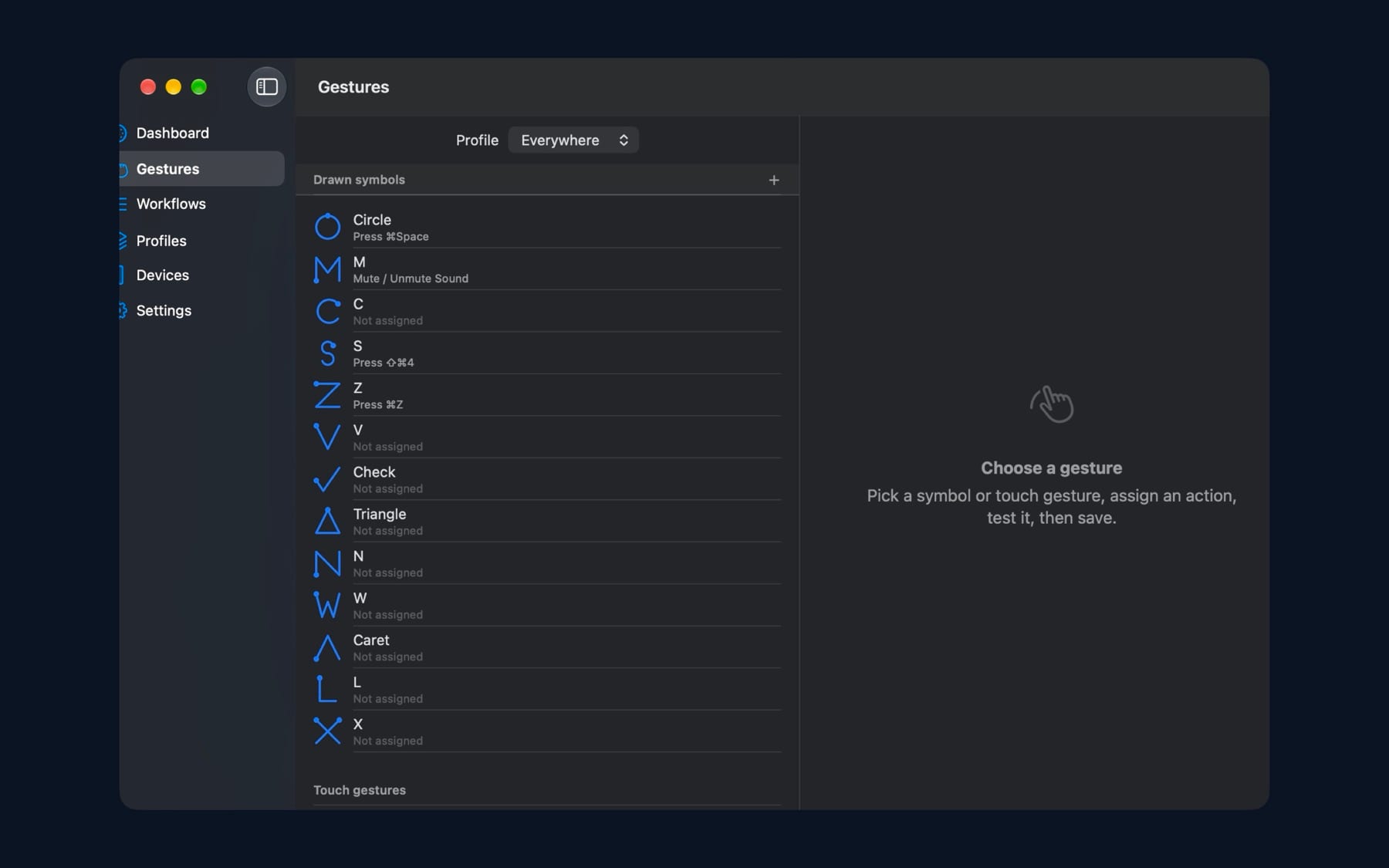
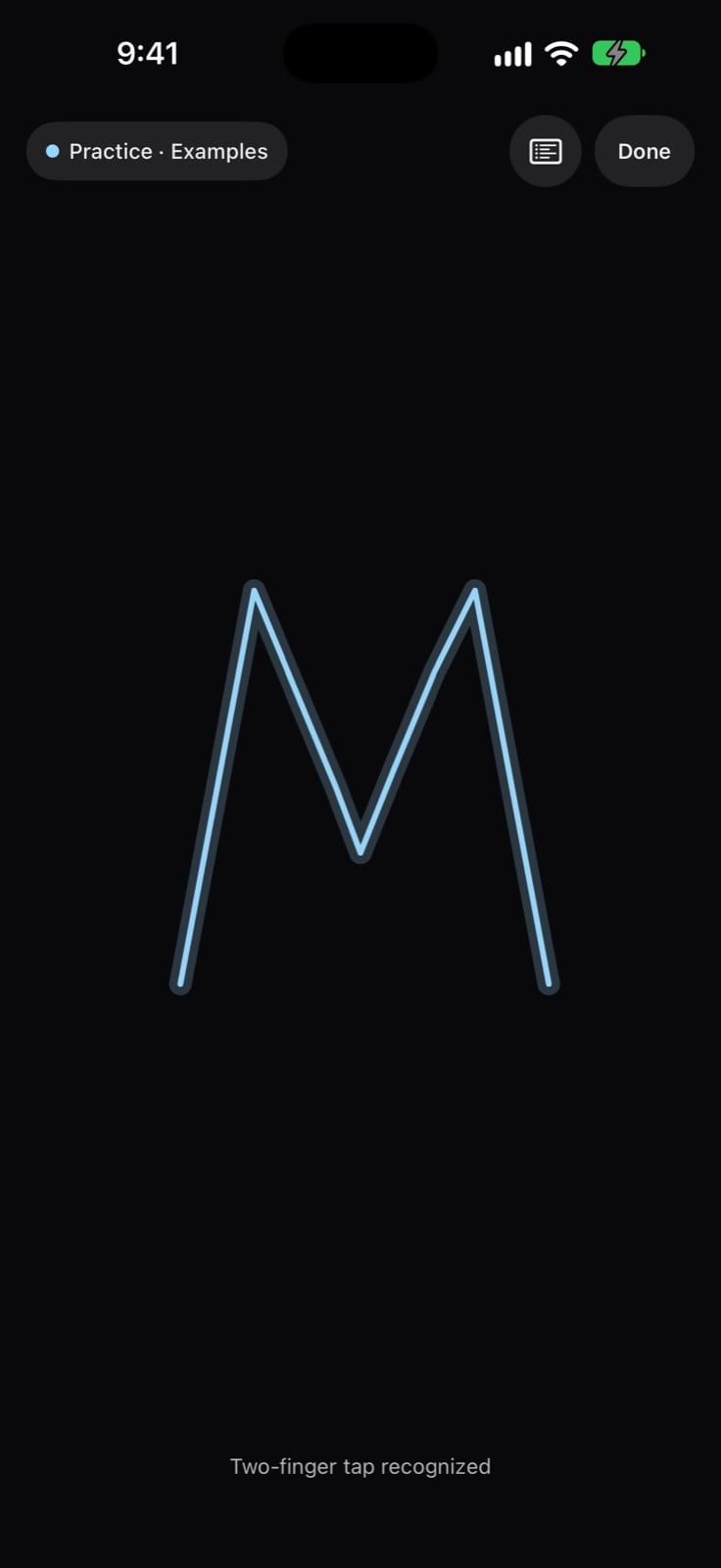
Built-in shapes such as a circle, M, check, triangle and letters are recognized on your iPhone or iPad. Record your own symbol when the built-ins don't fit.
Taps, swipes and pinches
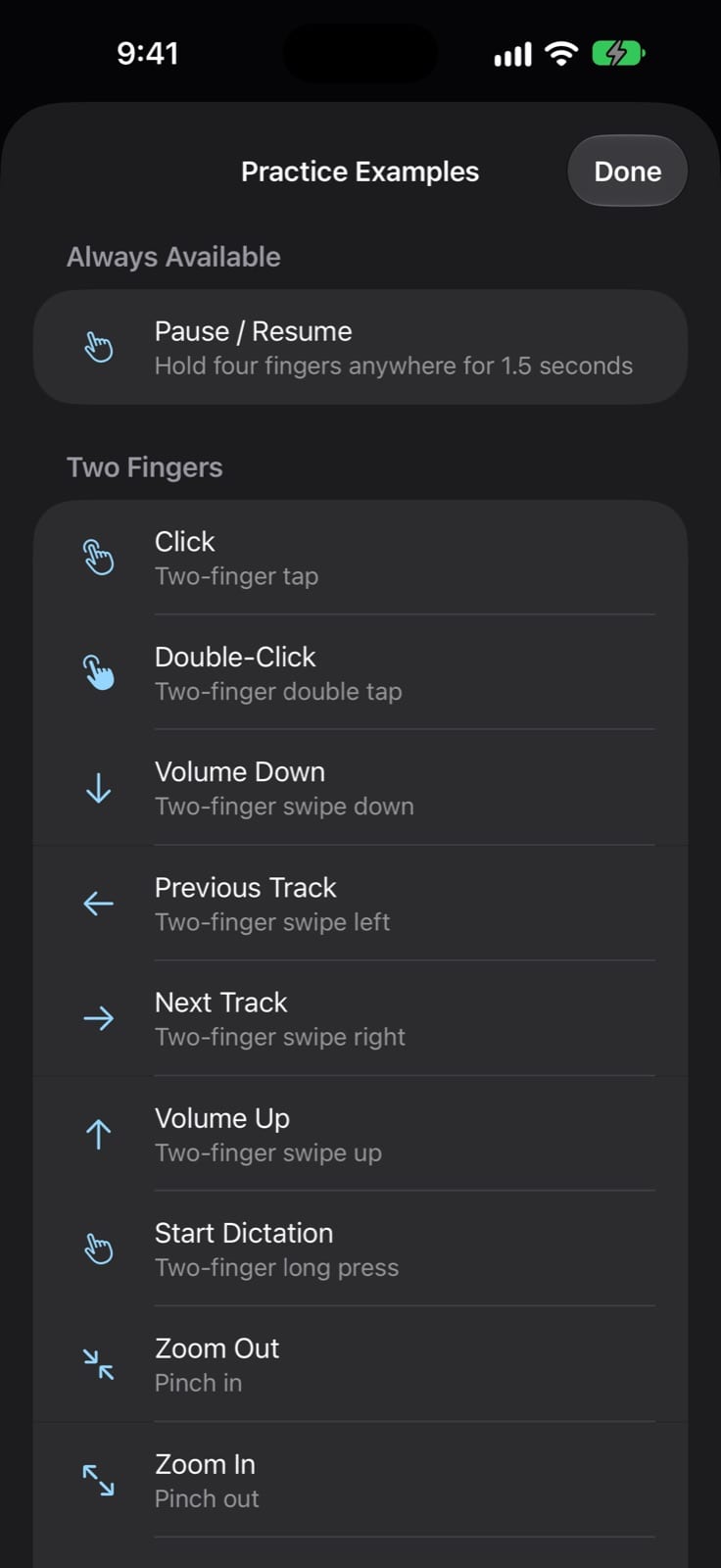
Use taps, double taps, long presses and swipes with one to five fingers, plus pinch and rotate. Each gesture can trigger a different action.
Profiles for each app
The same gesture can do different things in Chrome, VS Code or Logic Pro. Profiles follow the app in front, fall back to Everywhere, or stay put when you lock one.
Ordered workflows
Combine supported Mac actions in order, with delays where needed, then assign the workflow to any gesture.
Useful Mac actions
Open apps and websites, press keyboard shortcuts, type text, control media and volume, run a named Shortcut, or switch profiles.
Practice without risk
Practice mode recognizes gestures without sending anything to the Mac. Hold four fingers for 1.5 seconds to pause or resume control at any time.
QR code pairing
Scan the code on your Mac or type its 12-character pairing code. Codes work once, expire after five minutes, and every device is approved on the Mac.
Encrypted, local connection
Gestures travel only to your paired Mac over an encrypted local-network connection found with Bonjour. There is no GesturePad account or cloud relay.
How it works
Set up once, then just gesture
Set up on your Mac
Choose gesture mappings, app-specific profiles and workflows in the GesturePad Mac app.
Pair your device
In Devices choose Pair New Device, then scan the QR code or enter the code on your iPhone or iPad and approve it on the Mac.
Practice
Try gestures in Practice mode. Nothing runs on the Mac until you return to the connected canvas.
Control
Draw, tap or swipe. The Mac runs the action mapped for the app in front.
Why GesturePad
Built differently
Gestures instead of a button grid
Most phone remotes for the Mac are grids of buttons you have to look at. GesturePad uses symbols and multi-finger gestures, so you can act without finding a button.
Context-aware mappings
One gesture can mean different things in different apps, with an Everywhere fallback and a manual lock, instead of a single global set of shortcuts.
Recognized on the device
Gestures are recognized on your iPhone or iPad and sent only to the Mac you paired. No account and no developer-operated server sit in between.
What do I need?
A Mac with macOS 14 or later and an iPhone or iPad with iOS / iPadOS 17 or later, on the same Wi-Fi network, with GesturePad open on the Mac.
How much does it cost, and when can I get it?
GesturePad is in App Review. Pricing will appear on the App Store listing.
Is camera access required?
No. The camera is used only to scan the Mac's pairing QR code, and you can type the pairing code instead. The camera is never used to recognize your gestures.
What information leaves my iPhone or iPad?
Recognized gesture events and any custom symbol samples you record go to your paired Mac over an encrypted local connection. The apps have no GesturePad account and include no analytics or crash-reporting SDK.
Do four- and five-finger gestures work on iPad?
iPadOS multitasking gestures can intercept some four- and five-finger input. Use the visible Pause control on the canvas if needed.
Can I back up my mappings?
Yes. The Mac app keeps local backups of its configuration and can import or export configuration files you choose.
GesturePad is on its way
Submitted to Apple and waiting for App Review. This page will link to the App Store as soon as it’s approved.
More from Parth
 Closer
 Catch
 LoopStudio
 Palmdeck